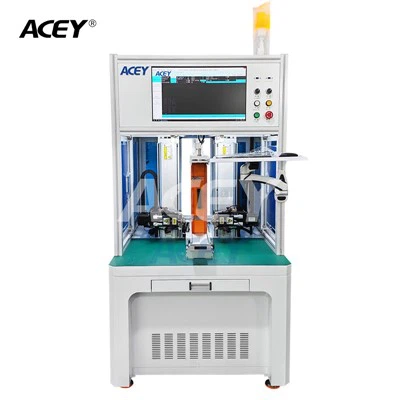
Training employees to use an Inkjet Batch Coding Machine effectively is crucial for ensuring smooth operations, accurate coding, and overall productivity in your manufacturing or packaging facility. As a leading supplier of Inkjet Batch Coding Machines, I understand the importance of comprehensive training programs. In this blog post, I will share some valuable insights and strategies on how to train your employees to use these machines proficiently.
Understanding the Basics
Before diving into the training process, it's essential to ensure that your employees have a solid understanding of the Inkjet Batch Coding Machine's basic components and functions. Start by providing an overview of the machine's key features, such as the inkjet printhead, controller, and software interface. Explain how these components work together to create high-quality codes on various substrates.
- Inkjet Printhead: The printhead is the heart of the coding machine, responsible for ejecting tiny droplets of ink onto the product surface. Teach your employees about the different types of printheads available and their specific applications. For example, some printheads are designed for high-speed coding, while others are better suited for printing on porous or non-porous materials.
- Controller: The controller is the brain of the machine, allowing operators to input coding information, adjust settings, and monitor the printing process. Familiarize your employees with the controller's user interface, including the touchscreen display, buttons, and menu options. Show them how to navigate through the different screens and perform basic functions, such as creating and editing codes, setting print parameters, and running test prints.
- Software Interface: Most Inkjet Batch Coding Machines come with dedicated software that provides advanced features and functionality. Train your employees on how to use the software to create complex codes, manage databases, and integrate with other systems, such as barcode scanners or production line controllers. Explain the importance of software updates and how to install them to ensure optimal performance.
Hands-On Training
Once your employees have a basic understanding of the machine's components and functions, it's time to move on to hands-on training. This is where they will have the opportunity to operate the machine themselves and gain practical experience.


- Safety First: Before starting any hands-on training, make sure your employees are aware of the safety procedures and precautions associated with operating the Inkjet Batch Coding Machine. Provide them with personal protective equipment (PPE), such as safety glasses, gloves, and aprons, and teach them how to use it correctly. Emphasize the importance of following all safety guidelines and regulations to prevent accidents and injuries.
- Machine Setup: Start by demonstrating how to set up the machine for operation. This includes installing the ink cartridges, connecting the power supply and air lines, and calibrating the printhead. Show your employees how to perform routine maintenance tasks, such as cleaning the printhead, replacing filters, and checking the ink levels. Encourage them to ask questions and provide them with opportunities to practice these tasks themselves.
- Code Creation and Editing: Once the machine is set up, teach your employees how to create and edit codes using the controller or software interface. Show them how to select the appropriate font, size, and orientation for the code, as well as how to add special characters, logos, and barcodes. Provide them with sample codes and templates to work with and encourage them to experiment with different settings to achieve the desired results.
- Printing Operations: After your employees have created their codes, it's time to teach them how to print them on the product surface. Demonstrate how to adjust the print speed, distance, and alignment to ensure clear and legible codes. Show them how to troubleshoot common printing issues, such as smudging, streaking, or missing characters. Provide them with opportunities to practice printing on different substrates and at different speeds to gain confidence and proficiency.
Advanced Training
Once your employees have mastered the basics of operating the Inkjet Batch Coding Machine, you can provide them with advanced training to enhance their skills and knowledge.
- Database Management: Teach your employees how to manage the coding database using the software interface. Show them how to create and edit databases, import and export data, and perform searches and queries. Explain the importance of data accuracy and integrity and how to ensure that the coding information is up-to-date and consistent.
- Integration with Other Systems: Many Inkjet Batch Coding Machines can be integrated with other systems, such as barcode scanners, production line controllers, or enterprise resource planning (ERP) systems. Train your employees on how to integrate the machine with these systems to automate the coding process and improve efficiency. Show them how to configure the machine to communicate with the other systems and how to troubleshoot any integration issues that may arise.
- Advanced Coding Techniques: Introduce your employees to advanced coding techniques, such as variable data printing, serialization, and anti-counterfeiting measures. Explain how these techniques can be used to enhance the security and traceability of your products and to comply with regulatory requirements. Provide them with opportunities to practice these techniques using the machine and the software interface.
Ongoing Support and Training
Training your employees to use an Inkjet Batch Coding Machine is not a one-time event. It's an ongoing process that requires continuous support and training to ensure that they stay up-to-date with the latest technology and best practices.
- Regular Maintenance and Calibration: Schedule regular maintenance and calibration of the machine to ensure optimal performance and accuracy. Train your employees on how to perform basic maintenance tasks, such as cleaning the printhead, replacing filters, and checking the ink levels. Provide them with access to technical support and troubleshooting resources to help them resolve any issues that may arise.
- Software Updates: Keep the machine's software up-to-date to ensure that it has the latest features and functionality. Train your employees on how to install software updates and how to take advantage of the new features. Provide them with access to software training materials and resources to help them learn how to use the new features effectively.
- Refresher Training: Conduct regular refresher training sessions to reinforce your employees' knowledge and skills. These sessions can be used to review the basics of operating the machine, introduce new features and functionality, and address any questions or concerns that your employees may have. Provide your employees with opportunities to practice their skills and receive feedback from their trainers.
Conclusion
Training your employees to use an Inkjet Batch Coding Machine effectively is essential for ensuring smooth operations, accurate coding, and overall productivity in your manufacturing or packaging facility. By providing comprehensive training programs that cover the basics of the machine's components and functions, hands-on training, advanced training, and ongoing support and training, you can help your employees become proficient operators and maximize the benefits of your investment in the machine.
If you're interested in learning more about our Inkjet Batch Coding Machines or our training programs, please visit our website at Batch Coding Inkjet Printer. We also offer a range of other products, such as Wireless Barcode Scanner and Handheld Expiry Date Printing Machine, to meet your specific coding needs. Contact us today to schedule a demonstration or to discuss your requirements with one of our experts.
References
- Manufacturer's User Manual for Inkjet Batch Coding Machine
- Industry Best Practices for Inkjet Coding and Marking
- Training Materials and Resources Provided by the Supplier