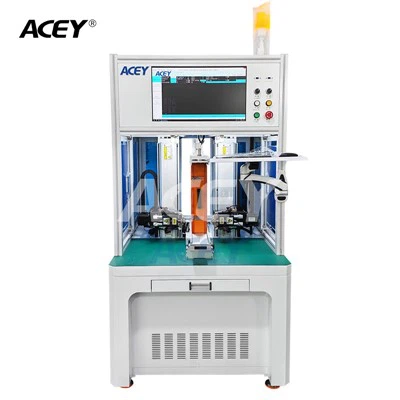
As a supplier of Bms Tester, understanding how to view the data logged by a Bms Tester is crucial for both us and our customers. In this blog, I will share some insights on this topic, which can help users make the most out of the data provided by our Bms Testers.
Importance of Data Logging in Bms Testing
Before diving into how to view the data, it's essential to understand why data logging is so important in Bms testing. A Battery Management System (BMS) is a critical component in battery - powered applications, as it monitors and manages the battery's state, including voltage, current, temperature, and state of charge (SOC). By logging the data during testing, we can gain valuable insights into the BMS's performance, identify potential issues, and ensure the safety and reliability of the battery system.
The data logged by a Bms Tester can be used for various purposes, such as quality control during manufacturing, performance evaluation during research and development, and troubleshooting in the field. It provides a detailed record of the BMS's behavior under different conditions, which is invaluable for making informed decisions about the battery system.
Types of Data Logged by Bms Testers
Bms Testers typically log a wide range of data, including:
- Voltage Data: This includes the voltage of individual battery cells, as well as the overall battery pack voltage. Voltage data is crucial for monitoring the state of the battery cells and detecting any imbalances or abnormal voltage levels.
- Current Data: The current flowing in and out of the battery pack is another important parameter. It helps to determine the charging and discharging rates of the battery, as well as the power consumption of the connected load.
- Temperature Data: Battery temperature can have a significant impact on its performance and lifespan. Bms Testers log the temperature of the battery cells and the surrounding environment to ensure that the battery operates within a safe temperature range.
- State of Charge (SOC) Data: SOC indicates the amount of charge remaining in the battery. Accurate SOC estimation is essential for predicting the battery's runtime and preventing over - charging or over - discharging.
How to Access the Logged Data
Most of our Bms Testers are equipped with user - friendly interfaces that allow easy access to the logged data. Here are the common steps to access the data:
- Connect to the Tester: First, you need to connect your computer or other data - viewing device to the Bms Tester. This can be done via a USB cable, Ethernet connection, or wirelessly, depending on the model of the tester.
- Launch the Data - Viewing Software: Once connected, launch the dedicated data - viewing software that comes with the Bms Tester. This software is designed to display and analyze the logged data in a clear and intuitive way.
- Select the Data Log: In the software, you can select the specific data log you want to view. The data logs are usually organized by date and time, making it easy to find the relevant data.
Analyzing the Logged Data
After accessing the data, the next step is to analyze it. Here are some key aspects to consider when analyzing the data logged by a Bms Tester:
- Trend Analysis: Look for trends in the data over time. For example, if the voltage of a particular battery cell is gradually decreasing, it could indicate a problem with the cell. Similarly, a rising temperature trend might suggest an issue with the cooling system or excessive charging/discharging.
- Comparison with Specifications: Compare the logged data with the BMS's specifications and design parameters. If the measured values deviate significantly from the expected values, it could indicate a malfunction or a need for adjustment.
- Correlation Analysis: Analyze the relationships between different parameters. For example, check if there is a correlation between the current and the temperature. A high current might lead to an increase in temperature, but if the temperature rise is excessive, it could be a sign of a problem.
Using Our Bms Testing Equipment for Data Logging and Viewing
We offer a range of high - quality Bms Testing Equipment that is designed to provide accurate and reliable data logging. Our 1 - 45 Series Bms Tester Machine is suitable for a wide range of applications, from small - scale battery testing to large - scale production testing. It features a user - friendly interface and advanced data - logging capabilities, allowing users to easily view and analyze the logged data.
Our 1 - 24 Series 50A Charge 120A Discharge BMS Testing Equipment is specifically designed for high - power battery systems. It can accurately measure and log the voltage, current, and temperature during high - rate charging and discharging processes, providing valuable data for evaluating the BMS's performance under extreme conditions.
Conclusion
Viewing and analyzing the data logged by a Bms Tester is an essential part of ensuring the performance and safety of battery systems. By understanding how to access and interpret the data, users can make informed decisions about the BMS, troubleshoot issues, and optimize the battery system's performance.
If you are interested in our Bms Testers and want to learn more about how they can help you with data logging and analysis, please feel free to contact us for further discussions and potential procurement. We are committed to providing the best solutions for your Bms testing needs.


References
- Battery Management System Basics, Battery University
- Handbook of Battery Management, Springer