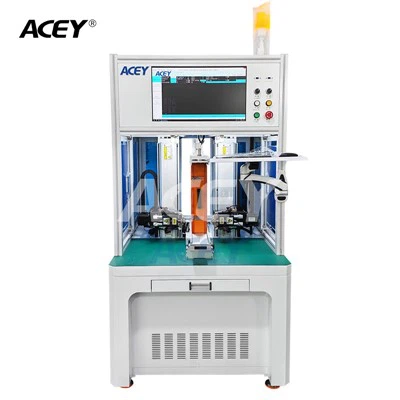
Hey there! As a supplier of Batch Coding Inkjet Printers, I often get asked about the different communication interfaces these printers have. In this blog, I'll break down the main types of communication interfaces you might encounter with a Batch Coding Inkjet Printer and why they're so important.
USB Interface
Let's start with the USB interface. This one is super common and for good reason. It's like the Swiss Army knife of communication interfaces. You can use it to transfer data between your computer and the printer. For example, if you've designed a specific batch code or logo on your computer, you can simply plug in a USB drive or connect the printer directly to your computer via a USB cable and transfer the data. It's a quick and straightforward way to get your print jobs set up.
The USB interface also makes firmware updates a breeze. Just download the latest firmware onto a USB drive, insert it into the printer, and follow the on - screen instructions. This ensures that your printer always has the latest features and security patches. And if you're having issues with the printer, technicians can use the USB interface to diagnose problems more efficiently by extracting logs and other diagnostic information.
Ethernet Interface
The Ethernet interface is a game - changer, especially for businesses that need to integrate their Batch Coding Inkjet Printer into a larger network. With an Ethernet connection, you can connect the printer to your local area network (LAN). This allows multiple users on the network to access and send print jobs to the printer.
Imagine you have a production line where different departments need to print batch codes at various stages. Using the Ethernet interface, each department's computer can communicate with the printer in real - time. You can also access the printer's settings and monitor its status remotely. For instance, you can check the ink levels, the number of prints made, or even troubleshoot minor issues without physically being next to the printer.
Moreover, an Ethernet connection enables seamless integration with other systems in your factory, such as your Enterprise Resource Planning (ERP) system. This means that the batch codes printed by the inkjet printer can be synchronized with your inventory management system, ensuring accurate tracking of products from production to sales.
Wi - Fi Interface
The Wi - Fi interface offers a whole new level of flexibility. You can place the Batch Coding Inkjet Printer anywhere within the range of your Wi - Fi network. No more dealing with long cables or finding a specific spot near an Ethernet port.
This is incredibly useful for mobile printing applications. Say you have a mobile workstation on the production floor that needs to print batch codes on the go. With a Wi - Fi - enabled printer, you can connect your laptop or tablet to the printer wirelessly and start printing right away. It also makes it easier to set up the printer in temporary locations, like during events or trade shows.
However, you need to be careful with Wi - Fi security. Make sure your Wi - Fi network is protected with a strong password and encryption. This will safeguard your print jobs and the data associated with them from unauthorized access.
Serial Interface
Serial interfaces, like RS - 232, are still used in many industrial applications. They're known for their reliability, especially in environments where there might be a lot of electrical interference. The serial interface uses a single data channel to send and receive data, one bit at a time.
It's often used to connect the printer to other industrial devices, such as barcode scanners or programmable logic controllers (PLCs). For example, if you're using a Wireless Barcode Scanner to scan product information, the scanner can send that data to the printer via a serial interface. The printer can then use that information to print the appropriate batch code on the product.
Bluetooth Interface
Bluetooth is another wireless option that's becoming more popular in the world of batch coding inkjet printers. It's great for short - range communication. You can pair your smartphone, tablet, or laptop with the printer using Bluetooth. This allows you to control the printer and send print jobs directly from your mobile device.
It's also useful for quick and easy setup. If you need to make a few test prints or adjust some basic settings, you can do it right from your phone. And since most modern devices come with Bluetooth capabilities, you don't need to worry about installing any additional software or hardware to connect to the printer.
Why Communication Interfaces Matter
Now, you might be wondering why all these communication interfaces are so important. Well, in today's fast - paced manufacturing environment, efficiency and accuracy are key. The right communication interface can help you streamline your production process.


For example, if you can quickly transfer print jobs from your design software to the printer, you'll save time and reduce the chances of errors. And if your printer can integrate seamlessly with other systems in your factory, you'll have better control over your production line and be able to make more informed decisions.
Conclusion
In conclusion, a Batch Coding Inkjet Printer can come with a variety of communication interfaces, each with its own unique advantages. Whether it's the simplicity of USB, the network capabilities of Ethernet, the flexibility of Wi - Fi, the reliability of serial, or the convenience of Bluetooth, there's an interface to suit every need.
If you're in the market for a batch coding inkjet printer or want to upgrade your existing one, consider which communication interfaces are most important for your business. And if you have any questions or need more information, don't hesitate to reach out. We're here to help you find the perfect printer with the right communication interfaces for your specific requirements. Whether you run a small - scale operation or a large - scale manufacturing facility, we've got the expertise to guide you through the selection process. So, let's start a conversation and see how we can improve your batch coding process together.
References
- Smith, J. (2020). Industrial Printing Technologies. London: TechPress.
- Johnson, A. (2019). Wireless Communication in Manufacturing. New York: Manufacturing Insights.