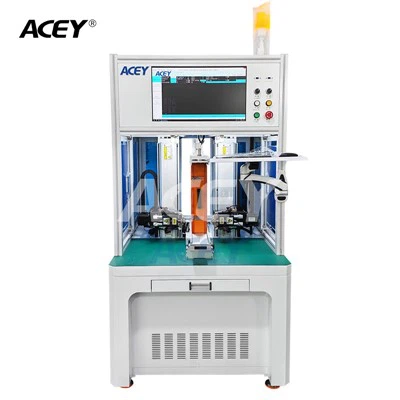
Hey there! As a supplier of Inkjet Batch Coding Machines, I often get asked about how to refill the ink in these machines. It's a crucial process that can save you money and keep your machine running smoothly. So, let's dive right in and explore the steps to refill the ink in an Inkjet Batch Coding Machine.
Why Refill the Ink?
Before we get into the how-to, let's talk about why refilling the ink is a good idea. First off, it's cost-effective. Buying pre-filled cartridges can be expensive in the long run, and refilling your own ink can significantly cut down on your coding costs. Secondly, it's better for the environment. By refilling your ink, you're reducing the amount of plastic waste from used cartridges.
What You'll Need
To refill the ink in your Inkjet Batch Coding Machine, you'll need a few things:
- Ink: Make sure you use the right type of ink for your machine. Using the wrong ink can damage the printer and affect the quality of the coding.
- Syringe or Ink Refill Kit: This will help you transfer the ink from the bottle to the printer cartridge.
- Clean Cloth: To wipe up any spills and keep the machine clean.
Step-by-Step Guide to Refilling the Ink
Step 1: Prepare Your Workspace
Find a clean, well-lit area to work in. Lay down a clean cloth to protect your surface from any ink spills. It's also a good idea to wear gloves to avoid getting ink on your hands.
Step 2: Power Off the Machine
Before you start refilling the ink, make sure the Inkjet Batch Coding Machine is turned off. This will prevent any electrical accidents and ensure that the ink is refilled correctly.
Step 3: Locate the Ink Cartridge
Open the printer cover and locate the ink cartridge. The location of the cartridge may vary depending on the model of your machine. Refer to your machine's manual if you're having trouble finding it.
Step 4: Remove the Ink Cartridge
Carefully remove the ink cartridge from the printer. Be gentle to avoid damaging the cartridge or the printer.
Step 5: Identify the Filling Hole
On the top or side of the ink cartridge, you'll find a small hole. This is the filling hole where you'll insert the syringe or refill kit. Some cartridges may have a label or a dot next to the filling hole to help you identify it.
Step 6: Fill the Syringe with Ink
Using the syringe or refill kit, draw the ink from the bottle. Make sure you don't overfill the syringe, as this can cause spills.
Step 7: Insert the Syringe into the Filling Hole
Insert the tip of the syringe into the filling hole on the ink cartridge. Slowly push the plunger to transfer the ink into the cartridge. Be careful not to push too hard, as this can cause the ink to overflow.
Step 8: Monitor the Ink Level
As you're filling the cartridge, keep an eye on the ink level. Stop filling the cartridge when it's about 80% full. Overfilling the cartridge can cause leaks and affect the performance of the printer.
Step 9: Wipe the Cartridge
Once you've filled the cartridge, use a clean cloth to wipe any excess ink from the outside of the cartridge. This will prevent the ink from getting on the printer or your hands.
Step 10: Reinstall the Ink Cartridge
Carefully reinstall the ink cartridge into the printer. Make sure it's properly seated and locked in place.
Step 11: Power On the Machine
Turn on the Inkjet Batch Coding Machine and let it run a cleaning cycle. This will help to prime the cartridge and ensure that the ink is flowing properly.
Step 12: Test the Printer
Print a test page to make sure the ink is refilled correctly and that the coding quality is good. If the print quality is poor, you may need to run another cleaning cycle or check for any clogs in the cartridge.
Tips and Tricks
- Use High-Quality Ink: Using high-quality ink will ensure better coding results and reduce the risk of clogs in the printer.
- Follow the Manufacturer's Instructions: Always follow the manufacturer's instructions when refilling the ink. This will help to prevent any damage to the printer and ensure that the ink is refilled correctly.
- Keep the Machine Clean: Regularly clean the printer and the ink cartridges to prevent clogs and ensure optimal performance.
Related Products
If you're interested in other coding solutions, we also offer a range of related products, including the Handheld Expiry Date Printing Machine, Batch and Date Coding Inkjet Printer, and Wireless Barcode Scanner. These products can help you streamline your coding process and improve the efficiency of your operations.


Conclusion
Refilling the ink in an Inkjet Batch Coding Machine is a simple process that can save you money and keep your machine running smoothly. By following the steps outlined in this guide and using the right tools and ink, you can ensure that your printer is always ready to go. If you have any questions or need further assistance, don't hesitate to contact us. We're here to help you find the best coding solutions for your business.
References
- Manufacturer's Manual for Inkjet Batch Coding Machine
- Ink Refill Kit Instructions